30 Elegant Laser Cut Frame SVGs for Your Projects
When you're working on a project that demands a touch of elegance and structure, the right frame can make all the difference. Whether you're designing a custom wedding invitation, creating a piece of wall art, or developing product packaging, a well-designed frame adds instant professionalism and visual appeal. This is where a versatile resource like the Decorative Frame SVG Bundle becomes invaluable. It's not just a collection of shapes; it's a toolkit for adding instant sophistication to a wide range of creative work.
What Exactly Is This Frame Bundle?
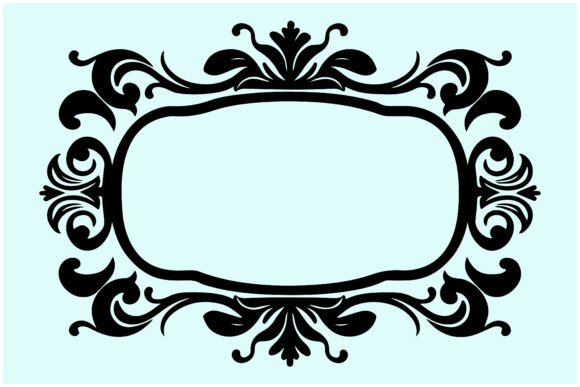
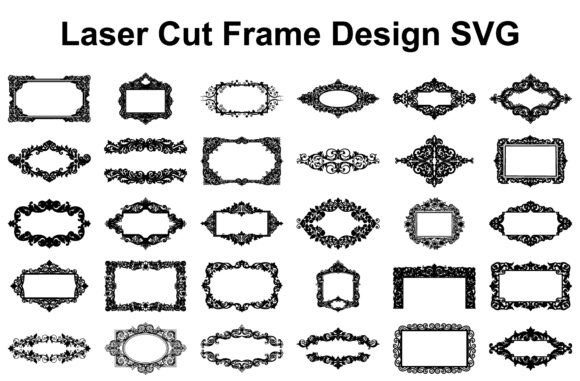
At its core, this is a curated set of 30 unique decorative frame designs, each crafted specifically for precision cutting and engraving. The visual style leans toward the timeless and elegant. Think intricate scrollwork, delicate floral motifs, clean geometric borders, and classic ornamental patterns. Each frame has a distinct personality, from the boldly ornate to the subtly refined, ensuring you have options for both statement pieces and understated accents. The designs are built with clean vector paths, which means they scale beautifully from a tiny accent on a greeting card to a large centerpiece on a wall hanging without any loss of detail or crispness.
Putting These Frames to Work: Practical Applications
The real value of a design asset like this lies in its adaptability. Here’s how you can integrate these frames into your projects:
Crafting and Laser-Cut Projects
This is their primary habitat. The SVG, EPS, and PDF files are optimized for use with popular machines like Glowforge, Cricut, and Silhouette. You can cut them from wood, acrylic, cardstock, or leather to create:
- Wall Décor: Frame quotes, monograms, or small artworks for a polished gallery look.
- Custom Photo Frames: Design unique frames for family photos or client portraits.
- Invitations and Stationery: Add laser-cut overlays or embellishments to wedding suites, menus, and place cards for a luxurious tactile feel.
- Scrapbooking and Paper Crafts: Use them as intricate layers or focal points on pages and cards.
Digital and Print Design
Don't limit these frames to physical cuts. The included PNG and vector files are perfect for digital applications:
- Branding and Logo Design: Incorporate a simplified frame element into a logo or use a full frame as a decorative border on a certificate or letterhead. This can establish a brand identity that feels classic and trustworthy.
- Editorial and Packaging Design: Frame featured text, product names, or imagery on book covers, magazine layouts, and product boxes. It creates a natural focal point and guides the reader's eye, improving visual hierarchy.
- Social Media and Web Graphics: Use a subtle frame as a background for quotes, announcements, or profile pictures. It adds a layer of professionalism that stands out in a crowded feed.
Choosing the Right Frame for Your Project
With 30 options, a little guidance helps. Here’s a practical approach:
- Assess Your Project's Tone: Is it romantic, formal, modern, or whimsical? A highly ornate frame suits a vintage-inspired wedding, while a clean, geometric border might be better for a tech company's award certificate. Match the frame's personality to your message.
- Consider Scale and Material: Visualize the final product. A very intricate, thin-line design might not cut well from thick wood but could be stunning in fine paper. Test a single frame in your material before committing to a full batch.
- Test for Readability: If you're placing text inside the frame, ensure the frame's design doesn't compete with the legibility of your words. Sometimes, a slightly simpler frame is more effective. Print or cut a test piece to check the visual balance.
- Think About Pairing: These frames are design assets that work with other elements. Pair an ornate frame with a simple sans-serif font for contrast, or use a clean frame with a decorative script font for a harmonious, elegant look. The goal is cohesion, not competition.
Why File Quality and Versatility Matter
A common frustration with digital design assets is poor quality—jagged edges, uneditable formats, or designs that fall apart when resized. This bundle is built to avoid those pitfalls. The 100% vector construction is key. It allows for infinite resizing, easy color changes in vector software (like Adobe Illustrator or the free Inkscape), and clean cuts on your machine. The inclusion of multiple formats (SVG, EPS, PDF, PNG) means you're not locked into one piece of software. Whether you're a hobbyist using a free program or a professional in a full suite, you have a file that works.
For small business owners and designers, this kind of reliability is crucial. It saves hours of troubleshooting and rework. The instant download format means you can start your project immediately, and the single ZIP file keeps everything organized. Remember to use standard software like WinZIP or WinRAR to extract the files properly.
Ultimately, a good set of frames is more than just decoration. It's a tool for creating structure, directing attention, and conveying a specific style. By integrating these designs thoughtfully, you can elevate your projects from simple to polished, ensuring they communicate the quality and care you put into your work.